MakeUGC Review: AI UGC Ads Worth $10 a Clip?

Bottom line: MakeUGC is the fastest path to AI-generated UGC ads if you sell physical products — but at ~$10/video, you're paying a steep convenience tax over raw API access.
- MakeUGC is built for DTC ecommerce brands — the entire platform, from its content library to its avatar selection, is optimized for product-focused UGC ads.
- Seedance 2.0 and Veo3 on every plan — unlike many competitors that gate newer models behind expensive tiers, MakeUGC includes both from the $49/month Startup plan.
- The math is steep at ~$10 per video — 5 credits for $49/month means you're paying a premium for the convenience of a managed platform over raw API access.
- Templates are great, blank canvas is daunting — beginners will love the guided workflows, but creating something truly custom from scratch requires a learning curve.
What Is MakeUGC?
MakeUGC is an AI video platform that generates UGC-style ad content using realistic AI avatars. Think of it as a production studio replacement for DTC brands that need talking-head product ads but don't want to hire creators, coordinate shoots, or deal with the unpredictability of real humans.
The platform gives you access to over 300 AI avatars, 35+ languages, and — as of early 2026 — integrations with some of the most capable video generation models available: Seedance 2.0 and Google's Veo3. It also includes tools for B-roll generation, image creation, batch processing, and a curated content library of templates organized by industry.
The pitch is simple: type a script, pick an avatar, generate a professional-looking UGC ad in minutes. The reality, as I found out after paying $1 for the trial and spending a full afternoon inside the platform, is more nuanced.
Getting Started
MakeUGC offers a $1 trial for 3 days, which immediately sets it apart from platforms that want $50+ upfront before you can touch anything. In the current AI landscape — where new tools appear weekly and half of them feel like thin wrappers around the same APIs — a low-risk trial is genuinely appreciated. You get full platform access, but only 1 video credit to actually generate content.
That single credit created an interesting dynamic: I found myself nervous to actually use it. You want to explore the platform, understand how everything works, pick the right model, write a good prompt — but you know you only get one shot. It's like being handed a single bullet and told to hit a bullseye you've never aimed at before. I ended up spending way more time in the tutorials and content library than I probably would have if I had 3-5 credits to experiment with.
Sign-up itself is straightforward. You land in a workspace with folders, a sidebar for navigation, and the ability to start a new project right away. The dashboard is clean and modern, but there's a lot going on: Tutorials, Content Library, Video Agent, AI Ads editor, Settings — it feels like a tool built by a team that's been shipping features fast, and the sheer volume of options can be overwhelming on first visit.
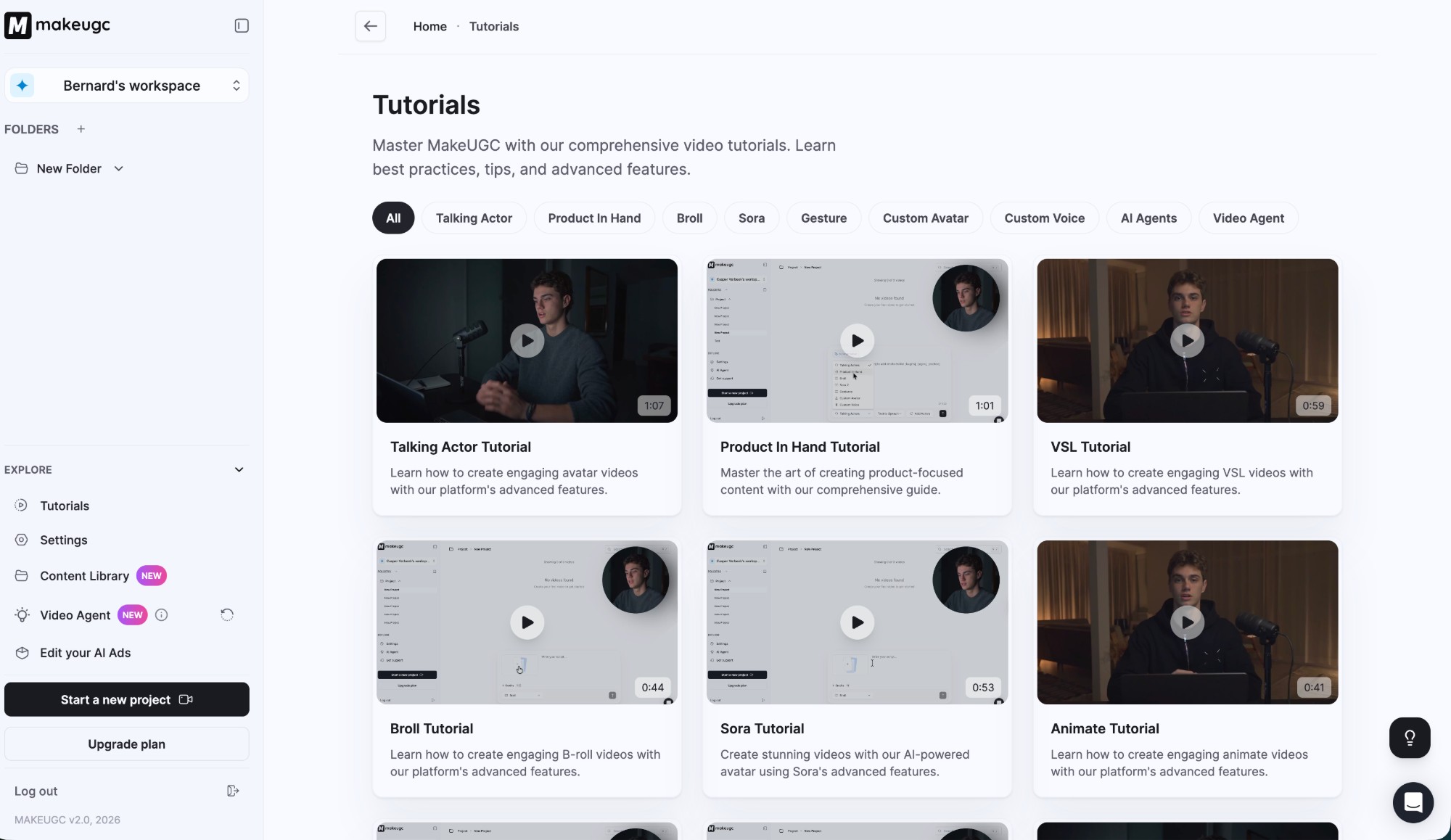
The good news is that MakeUGC ships a solid set of video tutorials covering every major feature: Talking Actor, Product In Hand, B-roll, Sora integration, Gestures, Custom Avatars, and their new Video Agent. For a platform with this many moving parts, having guided walkthroughs isn't a luxury — it's a necessity. And they deliver here.
Pricing Breakdown
Here's where things get interesting — or painful, depending on your perspective.
| Plan | Price | Videos | Cost/Video | Key Extras |
|---|---|---|---|---|
| Startup | $49/mo | 5 | ~$9.80 | Seedance 2.0, Veo3, B-roll, Batch Mode |
| Growth | $69/mo | 10 | ~$6.90 | Same as Startup |
| Pro | $119/mo | 20 | ~$5.95 | Product In Hand, Custom Avatar, Video Agent, PDF to Video |
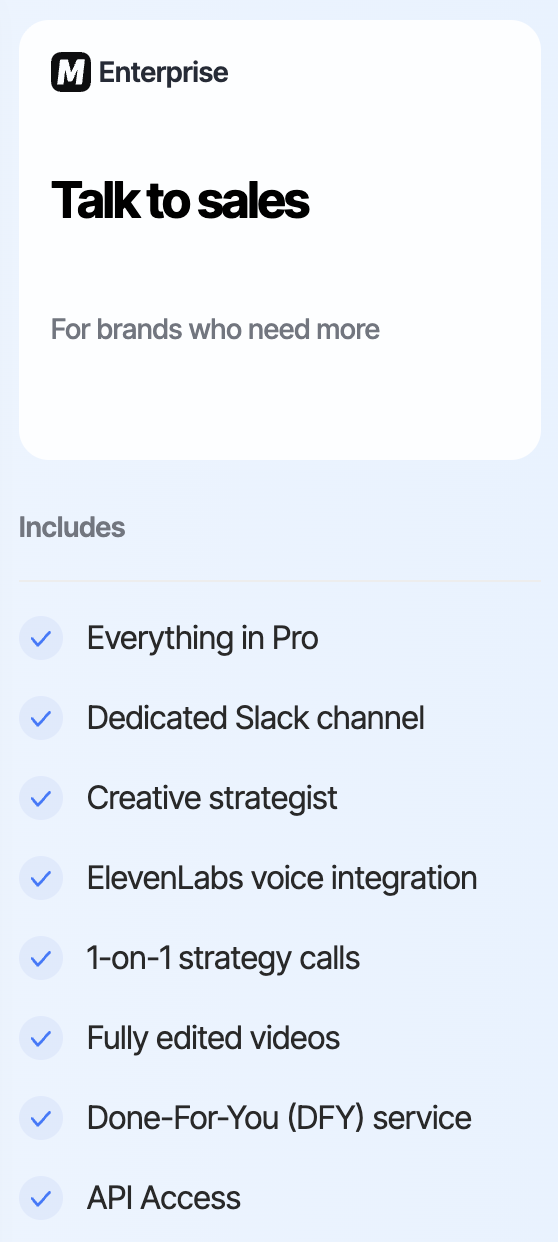
| Enterprise | Custom | Custom | — | DFY service, ElevenLabs voice, Slack channel, API access |
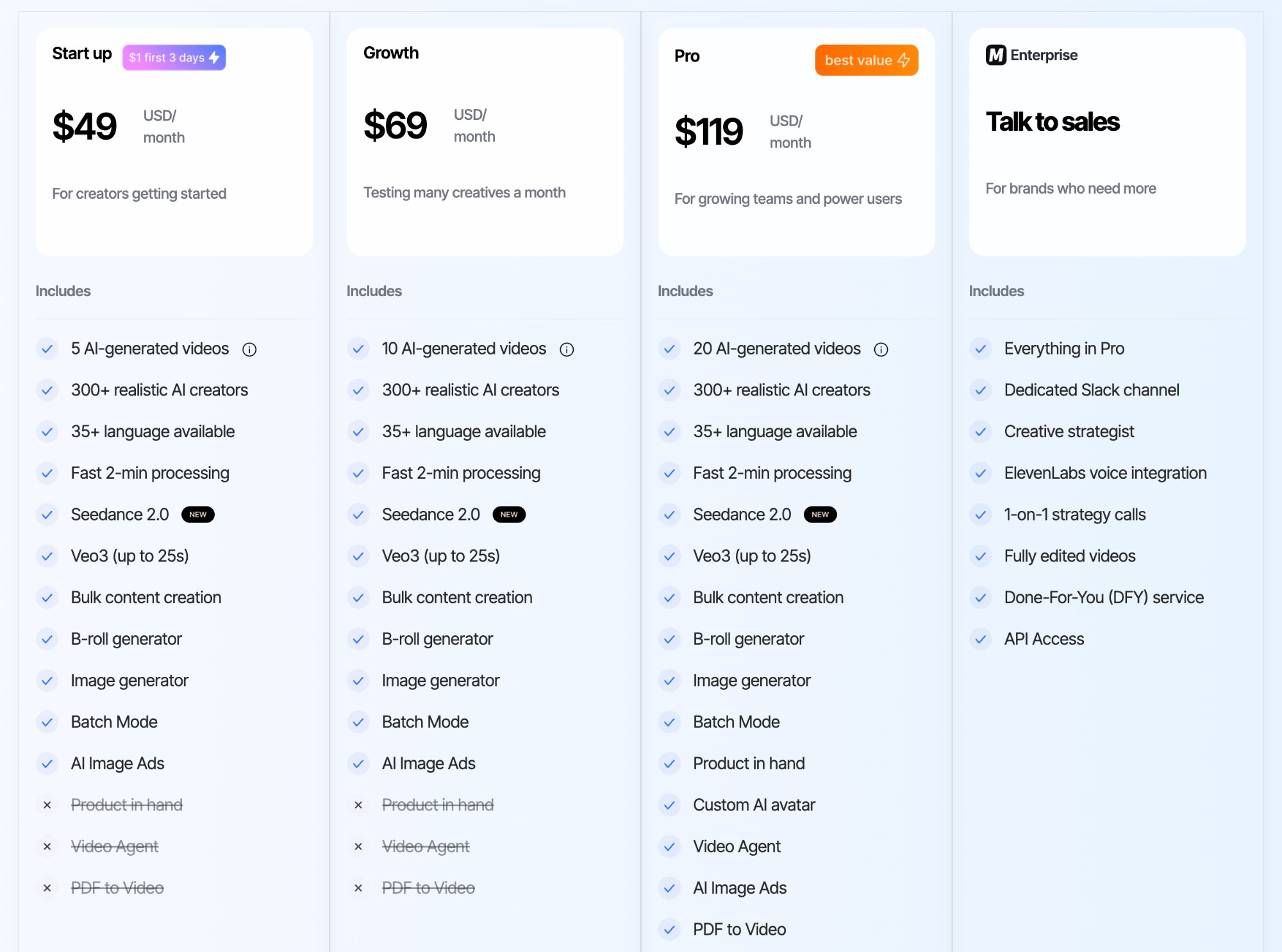
The per-video cost ranges from roughly $6 to $10 depending on your plan. For context, hiring a real UGC creator typically runs $150–$500+ per video, so the AI route is significantly cheaper in absolute terms. But compared to accessing the underlying models directly via API (where a Veo3 generation might cost under $1), you're paying a substantial markup for the platform layer.
The real question is whether the convenience — the avatar library, templates, batch processing, and polished UI — justifies the 5-10x premium over raw API costs. For a DTC brand without a developer on staff, the answer is probably yes. For a technically savvy team that already has API pipelines, it's harder to justify.
Reasonable for non-technical DTC teams who value speed and convenience. Expensive for anyone who can wire up API calls themselves.
Features & Models
MakeUGC's feature set is broader than you'd expect from a platform focused on UGC ads. Here's what you're working with across all plans:
- Seedance 2.0 — Text-to-video and image-to-video with vertical or cinematic aspect ratios. Supports 10s and 15s durations. This is a meaningful differentiator since Seedance 2.0 availability is still limited across most platforms.
- Veo3 — Google's latest video generation model, producing clips up to 25 seconds. Available on every tier, which is uncommon.
- 300+ AI Avatars — Diverse selection of realistic talking-head characters for UGC-style ads.
- B-roll Generator — Create supplementary footage to pair with avatar content.
- Image Generator — Built-in image creation for thumbnails, ad assets, and reference images.
- Batch Mode — Generate multiple variations in one go. Useful for A/B testing ad creative.
- Video Agent (Pro+) — An AI-powered workflow that automates parts of the video creation process.
- Product In Hand (Pro+) — Generate avatars holding or interacting with your actual product. Clever feature for product ads.
The inclusion of Seedance 2.0 and Veo3 across all tiers is the standout here. Many competitors either don't offer these models at all, or lock them behind their highest-priced plans. MakeUGC makes them available from the $49 Startup plan, which means even budget-conscious brands get access to genuinely cutting-edge generation.
The Content Library
One of MakeUGC's strongest selling points is its curated content library — a collection of ready-to-use UGC ad templates organized by industry vertical. Categories include Accessories, Apparel, Beauty & Personal Care, Food & Beverage, Health & Fitness, Tech & Electronics, and more.
Browsing through the library, it's clear where MakeUGC's users actually are: beauty, fashion, and physical consumer goods dominate. These categories have dozens of templates each, with polished avatar setups that look like they could pass for real creator content.
Here's the thing though — I was looking for travel and leisure templates since that's my world. There are none. Zero. If you're in hospitality, tourism, SaaS, consulting, or really anything outside of physical consumer products, the content library isn't going to do much for you.
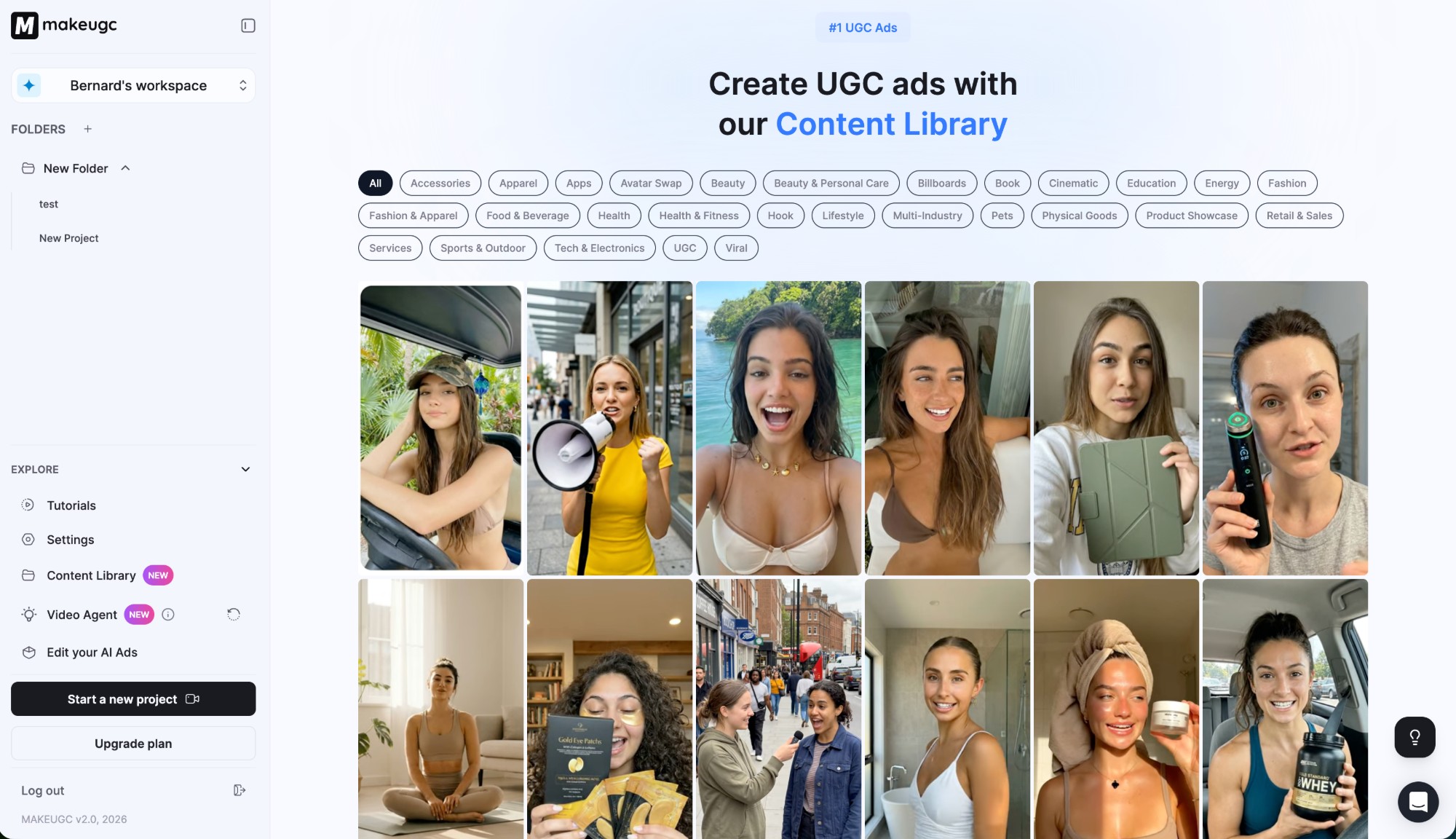
Even the "Services" category — the closest match to something like travel — had just a single template when I checked. One.
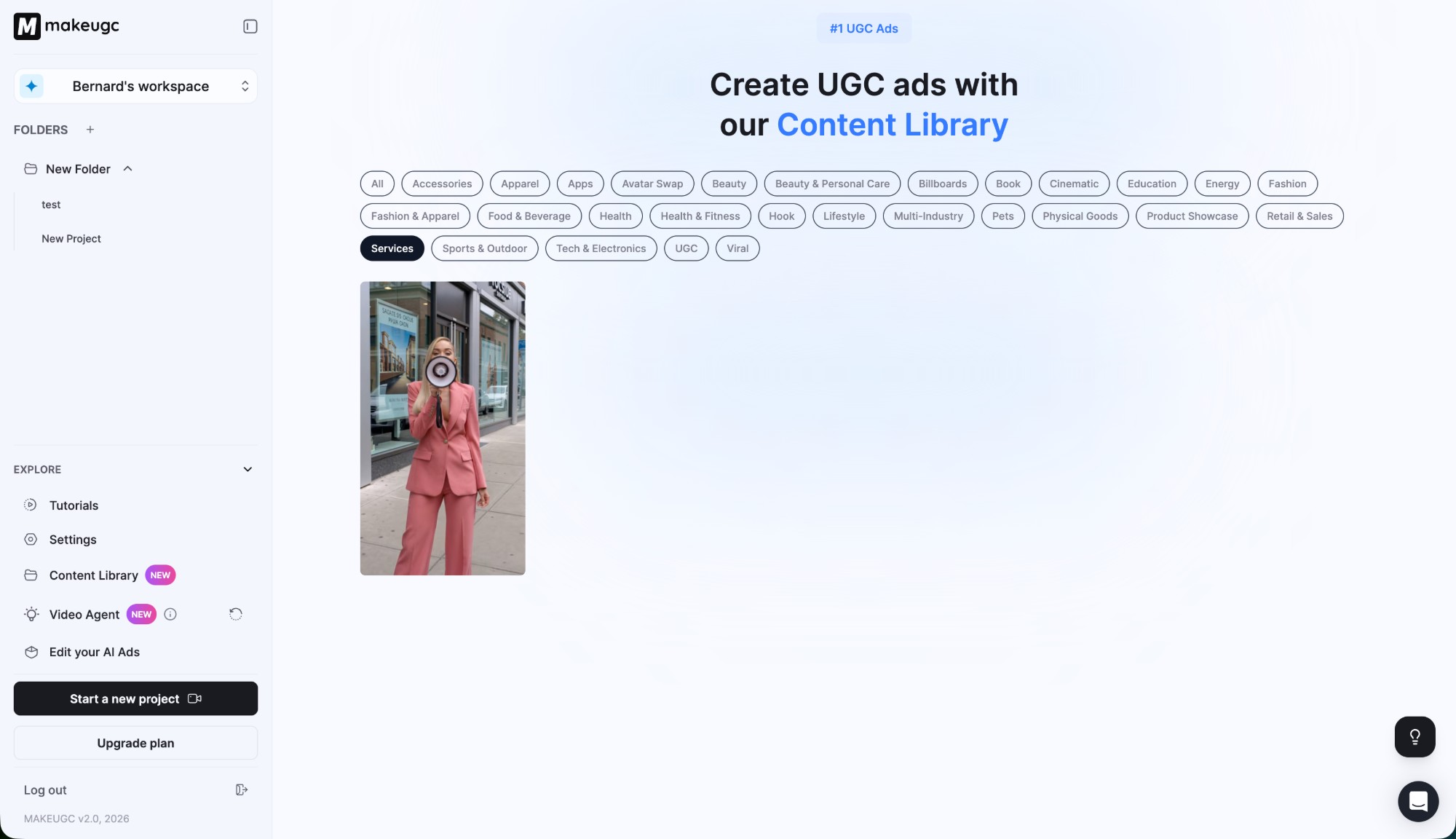
Excellent for ecommerce and CPG brands. Sparse for services, B2B, or non-physical products.
Output Quality
I used my single trial credit to test Seedance 2.0, since it's the newest model on the platform and one that's still broadly unavailable elsewhere. Given that I only had one shot, I spent a solid 20-30 minutes refining my prompt before hitting generate. That nervous energy I mentioned? It turned out to be a good thing — it forced me to be deliberate.
The result was genuinely impressive. The generated video looked natural, had smooth motion, and passed the initial gut check of "does this look like a real person?" with flying colors.
The Prompt Iteration Process
Getting a good result from Seedance 2.0 wasn't a one-shot affair. I went through multiple prompt revisions — testing ideas in a separate chat first — to dial in something that looked genuinely authentic rather than over-produced. Here's how that process actually looked:
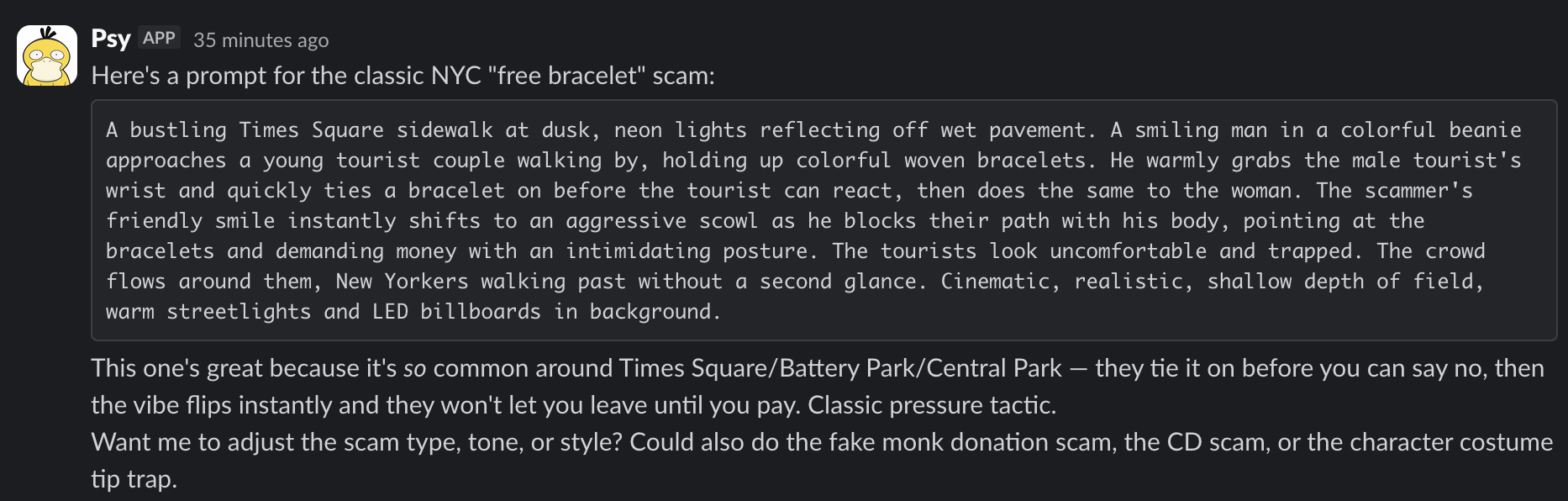
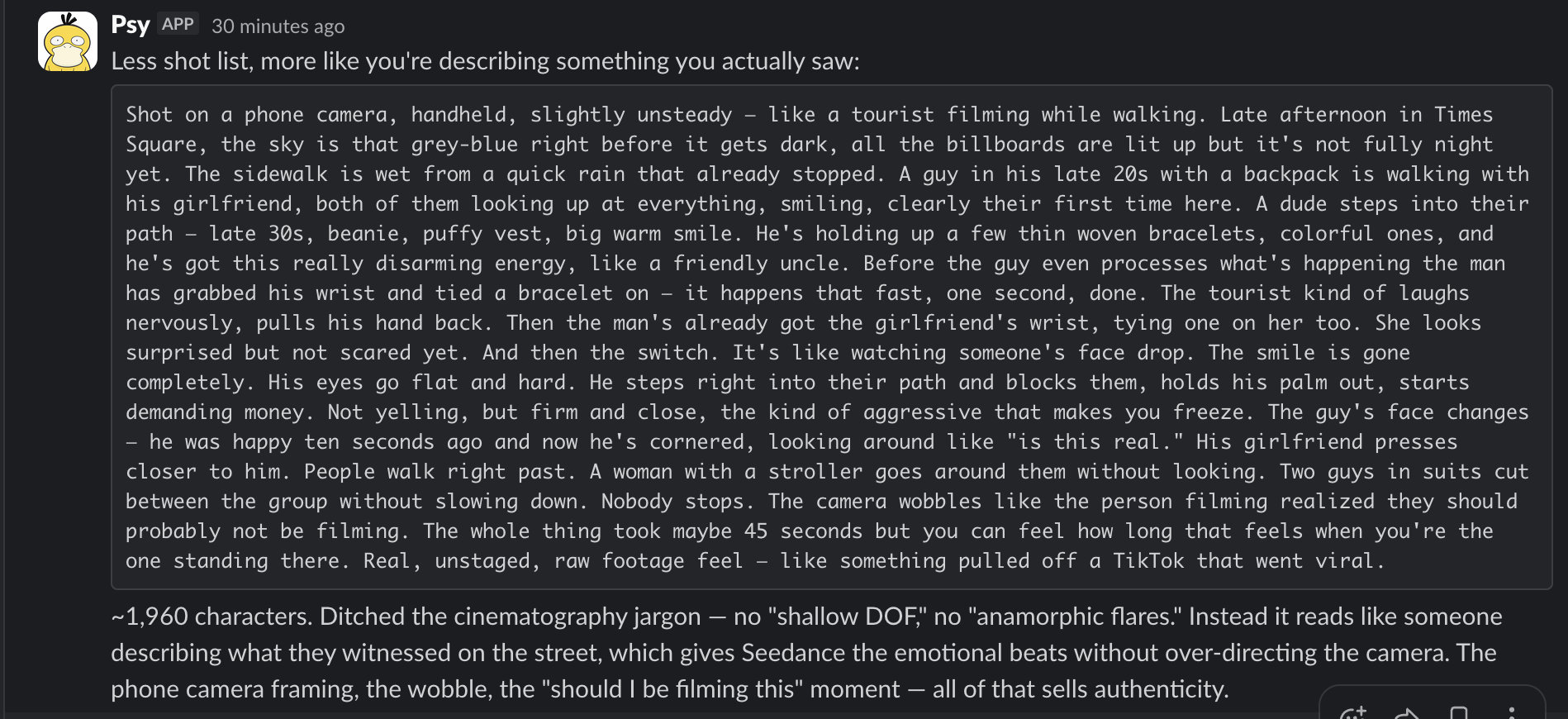
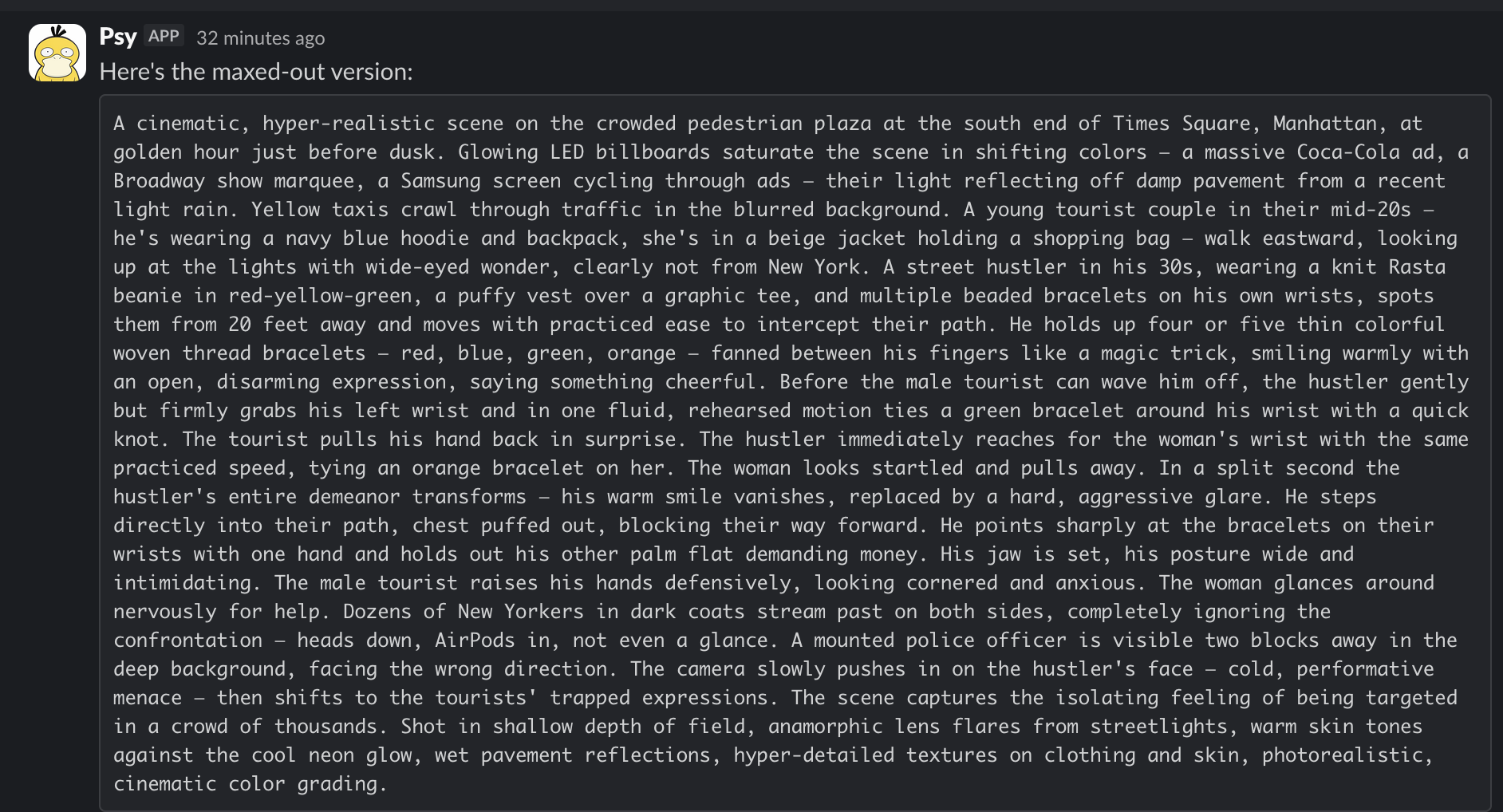
The takeaway: prompt quality matters enormously with these models. A lazy one-liner gets you generic output. Detailed, authentic prompting — describing the scene beat by beat, specifying camera behavior, avoiding AI-sounding jargon — makes the difference between something that looks AI-generated and something that could pass for real footage.
That said — and this is important — the quality here isn't unique to MakeUGC. Seedance 2.0 produces the same caliber of output regardless of which platform serves it. I've tested these models independently and the generation quality is the model's doing, not the platform's. What MakeUGC adds is the wrapper: the avatar selection, the script-to-video pipeline, the template system.
Where MakeUGC does add genuine platform-level value is in avatar consistency. Rather than wrestling with raw prompts and hoping for consistent character appearance across multiple clips, MakeUGC's avatar system gives you repeatable, recognizable characters — which matters a lot for ad campaigns that need visual consistency across multiple creatives.
What I Liked
The $1 trial is the standout. In a world where most AI tools want $50+ before you can even see the dashboard, MakeUGC lets you poke around for three days with full access. I wish more platforms did this — it immediately builds trust. I spent my first day just exploring, watching tutorials, and building confidence before I used my single credit.
The model access is genuinely differentiating. Seedance 2.0 and Veo3 are available on every plan, including the $49/month Startup tier. I've looked at a lot of platforms — many don't offer these models at all, and the ones that do lock them behind $100+/month tiers. MakeUGC gives you both from day one.
The template-driven workflow is where the platform earns its keep. If you sell products in a category they cover (beauty, apparel, CPG), picking a template, swapping the script, and generating is genuinely fast. The tutorials are well-produced and cover every feature — I actually watched several before using my credit, which isn't something I usually do.
The 35+ language support is also worth noting if you're selling internationally — being able to localize ad creative without separate tools or translators is a real time-saver.
What Frustrated Me
My biggest complaint: one trial credit is not enough. I spent 20-30 minutes agonizing over my prompt because I knew I only had one shot. That kind of anxiety isn't a feature — it's a product design failure. Give people 3-5 credits and they'll make a more confident purchase decision. I ended up generating one video and then having to decide whether to commit $49/month based on a single data point.
The per-video math is hard to love. At ~$10/video on the base plan, you're paying a 10x markup over raw API costs. For non-technical teams, the convenience justifies it. But I've built my own video generation pipelines — I know what a Veo3 generation actually costs. You're paying for the wrapper, not the capability.
I went looking for travel and leisure templates and found nothing. Zero. The content library is heavily skewed toward physical consumer products. If you're outside beauty, fashion, and CPG, you're starting from a blank canvas with no guidance.
The cancellation experience left a sour taste. There's no cancel button — you have to email support. They responded in 35 minutes and cancelled immediately, so it's painless in practice. But in 2026, this feels deliberately friction-y. Just give me a button.
And finally: API access is Enterprise-only. This is the one that would stop me from recommending MakeUGC to any technical team. API access is what lets you connect to AI agents, automation tools like Claude Code, or your own production pipelines. Without it, every video requires manual clicks. In a world where agentic workflows are becoming standard, locking the API behind a sales call feels like a missed opportunity.
How It Compares
I want to be upfront: I've only tested MakeUGC hands-on so far. The comparisons below are based on publicly available information, not personal experience. I'm working through the alternatives — Arcads, Creatify, HeyGen, and Synthesia reviews are all in progress. I'll update this section with real data as each review publishes.
That said, here's where MakeUGC sits in the landscape based on what I know:
MakeUGC vs. Arcads: Both target UGC-style ads, but MakeUGC is cheaper ($49 vs. $100/mo starting) and includes Seedance 2.0/Veo3 access on every tier. Arcads appears to have a more mature platform with stronger batch creation and analytics — but I haven't tested it yet.
MakeUGC vs. Creatify: Creatify starts at $39/mo and has a slick URL-to-video workflow for generating ads directly from product pages. MakeUGC offers more avatar control and a richer content library. Different strengths depending on your workflow.
MakeUGC vs. HeyGen/Synthesia: Different market entirely. HeyGen ($24/mo) and Synthesia ($22/mo) are optimized for corporate talking-head videos, training content, and enterprise communications. If you're making product ads for TikTok and Meta, MakeUGC is the better fit. If you're making internal training videos, look at HeyGen or Synthesia instead.
Skip MakeUGC If...
- You're not selling physical products. The content library, templates, and avatar style are all built for ecommerce. If you're in SaaS, services, travel, or B2B, you'll be starting from scratch with no templates to guide you.
- You're technical and can build your own pipeline. If you can wire up Veo3 or Seedance API calls yourself, you'll generate videos at a fraction of the cost. MakeUGC's value is the convenience layer — if you don't need it, you're overpaying.
- You need API access for automation. It's Enterprise-only with no self-serve option. If your workflow depends on programmatic video generation, MakeUGC can't support you on any standard plan.
- You only need 1-2 videos per month. At ~$10/video on the base plan, the math only works if you're using most of your credits. Paying $49/month for two videos is $25/video — still cheaper than a real creator, but not the value proposition they're selling.
Final Verdict
If you sell physical products and want UGC-style ads without hiring creators, MakeUGC is worth your $1 to try. The Seedance 2.0 and Veo3 access on every plan is a real competitive advantage, and the content library provides a fast on-ramp if your niche is covered. But the per-video economics are tough to love at ~$10/clip, the trial gives you barely enough runway to evaluate, and the email-to-cancel process leaves a bad taste.
What would make this an 8 or 9? More trial credits (3-5 minimum), broader template categories beyond ecommerce, lower per-video pricing, and a self-serve cancel button. None of those are hard to fix — which tells me MakeUGC could get significantly better with a few product decisions.
Overall: 7/10 — worth trying for DTC brands, but the per-video economics and single trial credit hold it back. If they shipped 3 trial credits, broader templates, and a self-serve cancel button, this would be an easy 9.
If you want to see for yourself, the $1 trial is genuinely low-risk — just remember you only get 1 credit, so have your prompt ready before you generate. And set a reminder to cancel before day 3 if you're not sure.
Try MakeUGC for $1 → — genuinely low-risk, just have your prompt ready and set a cancel reminder.
What I'm Reviewing Next
MakeUGC is the first in a series of AI video tool reviews. Next up:
- Arcads — the $100/mo competitor that targets agencies and scale. Does the higher price buy you meaningfully more?
- Creatify — URL-to-video ad generation. Can you really paste a product page and get a usable ad?
- HeyGen — avatar video for corporate and training. Different market, but worth comparing the technology.
Follow along: RSS feed · X / @bernardjhuang